Homes.com Real Estate & Rent
- 4.7
- Rating
- 1.00M
- Installs
- Free
- Price

 Analysis by App-foxy
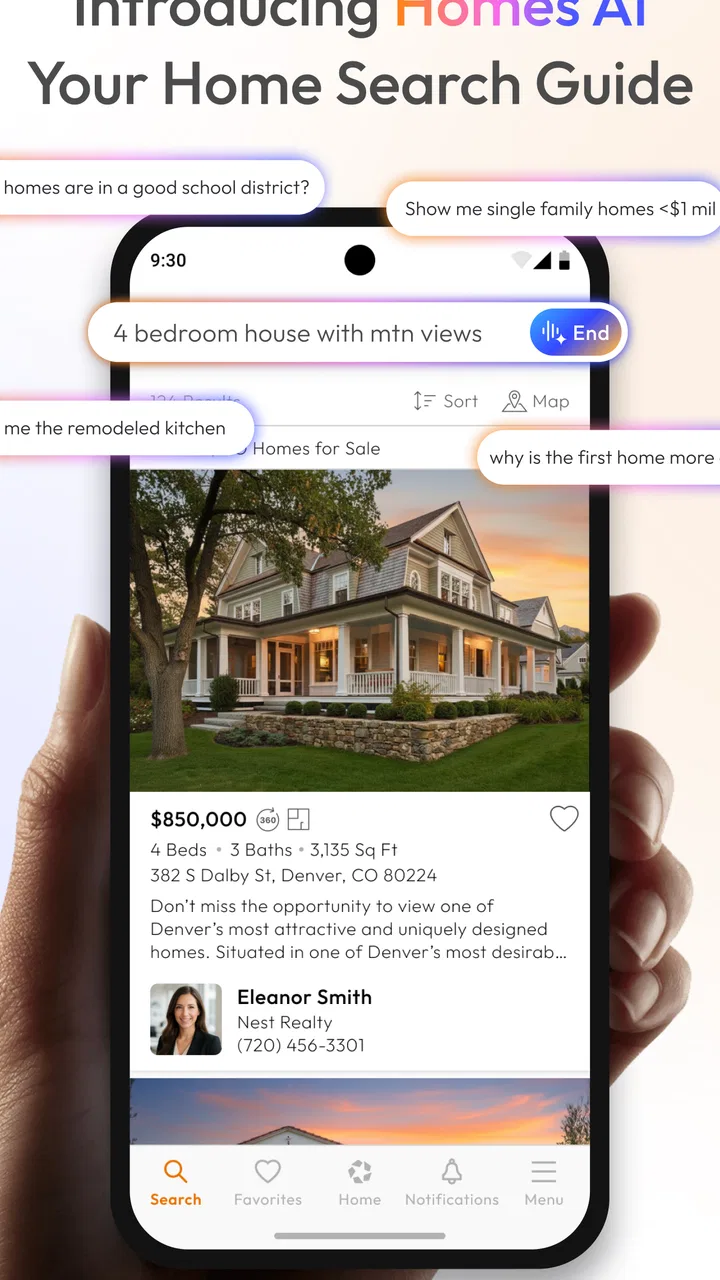
Finding a home is rarely a single search. I usually move between neighborhoods, compare rent against buying, check whether a listing fits my daily routine, and then return later when something new appears. That is where Homes.com Real Estate Search makes sense: it brings homes, rentals, agents, and schools into one place instead of forcing me to jump between unrelated tools.
After using it as a practical browsing companion, I see it as a strong starting point rather than a complete replacement for every part of the home-search process. The app is free, aimed at everyone, and belongs to the House & Home category. Its main value is the way it helps turn a vague idea such as “somewhere near this area” into a more manageable list of properties and questions.
The Android app comes from CoStar Homes.com Android Team. It has been available since September 10, 2012, and its current version is 17.5.0, requiring Android 10 or later. With an average rating of 4.7 from around 19 thousand ratings and more than a million installs, it is clearly a familiar tool for people browsing the property market. Those figures do not make every listing perfect, but they do suggest that the basic search experience has earned plenty of regular use.
You May Also Like

 Blood Strike: 2.5 Anniversary
Blood Strike’s Loadouts Turn Every Drop Into a Tactical Gamble
A close look at Blood Strike’s custom loadouts: how fast access to signature weapons reshapes its battle royale rhythm, rewards preparation, and narrows the gap between fights.

 Pandora - Music & Podcasts
Pandora’s Music Is Easy to Start, but Harder to Recover
Pandora’s strength is its low-effort path from a seed to a station. Its weak spot is how much confidence it asks you to place in connection, setup, and quiet recovery.

 8 Ball Pool
 Is Built on Rivalries, Rematches, and Routine
A close look at the rivalries, rematches, shared routines, and unanswered safety questions that turn a quick pool match into a persistent mobile community.

 Samsung Music
’s Quiet Strength Is Playing What You Already Own
Its reach comes less from spectacle than from dependable access to a personal library. That simplicity is both the app’s strongest retention engine and its ceiling.

 AccuWeather: Weather Radar
AccuWeather Review: A Quick, Clear Forecast for Everyday Decisions
For everyday plans, the best forecast is the one you can understand quickly. AccuWeather makes rain timing, radar, and local conditions easy to act on, with a few trade-offs.

 Hill Climb Racing
Why Hill Climb Racing Still Turns Crashes Into One More Run
A tiny car, a bumpy hill and one more upgrade: Hill Climb Racing keeps resurfacing because its simple chaos makes every near-miss feel personal.
More From Our News Desk



How I use Homes.com from the first search to a realistic shortlist
I begin with a broad search so I can see how homes and rentals are distributed across the area, rather than ruling out useful nearby options too early. Then I narrow the results around the needs that would truly change my decision and use each listing to build questions for the next step. That gradual approach makes a shortlist more realistic—and sets up a closer look at how to keep the search useful from one session to the next.
Start broad, then make the search answer a real question
My first mistake with property apps is normally searching too narrowly. If I enter an exact area, a strict price range, and a long list of requirements immediately, I can miss nearby streets that would actually work. With Homes.com, I prefer to begin with the general location and property type, look at the available spread, and only then tighten the criteria.
This approach is especially useful when I am not yet sure whether I want to rent or buy. Instead of treating the app as a simple list of addresses, I use it to understand the shape of the local market. Are the homes clustered around one part of town? Do rentals appear in different areas from homes for sale? Does the commute-friendly zone offer enough choice, or am I focusing on a place because its name sounds familiar?
Once I have a rough sense of the area, filters become much more useful. I can concentrate on the details that would genuinely rule a property out, rather than selecting every preference I have. Budget, property type, bedroom needs, and location usually deserve priority. Cosmetic wishes can wait until I have a shortlist.
Read a listing as a starting point, not a final answer
A property card is useful for deciding what deserves attention, but I do not treat it as proof that a home is suitable. Photos can show the layout and condition at a glance, while the written details help me identify obvious mismatches. I still look carefully at the surrounding area, the practical distance from places I visit, and whether the listing gives enough information to justify contacting someone.
One habit that saves time is checking the same listing twice: once for the attractive features and again for the possible deal-breakers. On the first pass, I notice space, light, and location. On the second, I look for clues about parking, stairs, room arrangement, or anything that could make daily life harder. This two-pass method keeps an appealing photograph from dominating my judgment.
The app is also more useful when I search with a specific decision in mind. For example, I might ask, “Could I live here without a long commute?” rather than simply asking whether I like the home. That changes what I inspect. A property that looks affordable may be less practical if it creates extra travel, while a slightly less exciting home in a better position may be the smarter choice.
Use schools and agents as part of the same research session
Homes.com is not limited to property listings. Its focus also includes schools and agents, which makes it easier to keep related research together. When I am considering a neighborhood for a household with children, school information becomes part of the location decision rather than an afterthought. I still verify important details through the relevant local sources, but having that context close to the property search is convenient.
The agent side is helpful when browsing turns into a serious move. I can use the app to identify professionals connected with the type of property or area I am exploring, then prepare more focused questions before making contact. That is better than reaching out with only a vague request for “anything available.” I can explain the area, property type, and practical requirements I have already been comparing.
There is an important trade-off here. Keeping homes, rentals, schools, and agents in one app reduces friction, but it can also encourage me to stay inside one source for too long. I would not use the app alone to judge school suitability, neighborhood safety, legal details, or the true cost of a move. It works best as the organizing layer for research, followed by direct verification.
A normal evening search
Imagine I am moving because my lease is ending. I open the app after work and search the areas that keep my commute reasonable. At first, I avoid setting an unrealistically tight range. I scan the results, notice which neighborhoods repeatedly offer suitable homes, and then narrow the search to the property type and bedroom count that fit my household.
After that, I review several listings without contacting anyone immediately. I note the addresses or neighborhood names, compare the layouts, and check whether the school information changes how I view each area. The next day, I return to the strongest candidates and decide which questions matter: availability, total monthly cost, parking, viewing times, and anything unclear in the listing.
This workflow is more effective than opening dozens of listings randomly. The app helps with discovery, but the real benefit comes from giving each session a purpose. One session can be for mapping the market, another for comparing shortlisted homes, and a later one for preparing conversations with agents.
Settings and filters worth checking before you trust the results
The most important settings are the ones that control what counts as relevant. I check whether I am looking at rentals or homes for sale, confirm the selected location, and review the property requirements before assuming the result list is complete. A small mismatch in the search setup can make the app appear unhelpful when the real problem is that the search is answering a different question.
I also avoid stacking too many filters at the beginning. Tight filters are valuable when I know exactly what I need, but they can hide useful alternatives when I am still learning the area. A better pattern is to begin with essential limits, inspect the results, and add one constraint at a time. If the list suddenly becomes too small, I know which requirement caused the problem.
Location deserves special attention. Searching by a familiar neighborhood name may exclude nearby areas that share the same transport links or daily conveniences. I often compare the named area with a wider surrounding search, then decide whether the extra distance is acceptable. This is particularly useful for renters, because a small shift in location can change the available stock considerably.
When I return to the app, I try to recreate the same search rather than relying on memory. I keep a simple note outside the app with the area, property type, budget boundary, and non-negotiable requirements. That habit makes comparisons more consistent and prevents me from quietly changing the rules every time a listing looks attractive.
Faster patterns for people who search repeatedly
Experienced browsing is less about tapping quickly and more about reducing repeated decisions. I use a three-stage pattern: discovery, filtering, and verification. During discovery, I allow a wider range so I can learn what exists. During filtering, I remove homes that clearly fail the practical requirements. During verification, I slow down and investigate the few listings that remain.
This avoids one of the biggest problems with real estate apps: spending too much time reading properties that were never realistic. If a home is outside the workable location or does not meet a basic household need, I move on quickly. I save my attention for listings where a conversation or viewing could genuinely make sense.
Another useful habit is comparing homes by category instead of by overall impression. I look separately at location, usable space, condition, likely running costs, and uncertainty. A listing may win on photographs but lose on location. Another may look ordinary but offer a better layout and fewer unanswered questions. Breaking the decision into categories makes the comparison less emotional.
I also use repeat visits strategically. On the first visit to a listing, I decide whether it belongs on the shortlist. On the second, I check whether it still fits after seeing other options. This matters because the first appealing property often becomes the standard against which everything else is judged. Returning with more context gives me a fairer comparison.
What the app does well for renters, buyers, and households
Renters will appreciate the ability to explore available homes without committing to a specific agent at the start. The app is useful when someone is moving to an unfamiliar city, changing neighborhoods, or trying to understand whether a budget is realistic. It can also help a renter prepare before contacting an agent, which usually leads to clearer questions and fewer wasted conversations.
Buyers can use it for early-stage market research and for building a list of properties worth investigating. It is especially handy when the search is still flexible and the buyer wants to compare several areas. The inclusion of agents means the transition from browsing to professional help is fairly natural.
Households with several decision-makers can use the app as a shared starting point, although the app itself does not replace a proper comparison system. I recommend agreeing on a short list of must-haves before browsing together. Otherwise, one person may focus on the kitchen, another on schools, and another on the commute, with no consistent way to decide which homes deserve attention.
The app is less suitable for someone who already knows the exact property they want and needs highly detailed transaction support. It is also not the right tool for making a final judgment about a home from listing material alone. For legal documents, inspections, financing, lease terms, and local verification, I would move to professionals and official sources.
Where the experience becomes less comfortable
Property search is naturally repetitive, and no interface can remove the uncertainty from it. Listings change, homes become unavailable, and the information that matters most to me may not be presented with equal clarity on every property. I sometimes have to do extra work to turn a promising listing into a confident decision.
The broad scope of the app can also feel like a compromise. Homes, rentals, agents, and schools are connected, but they are not the same kind of information. A person who wants only a fast rental search may find the wider ecosystem unnecessary. Conversely, someone expecting a complete neighborhood intelligence platform may still need other sources for deeper research.
There is also a psychological limitation. A large result set can create the feeling that I am making progress even when I am only collecting possibilities. I have to impose my own stopping rules: remove obvious mismatches, choose a manageable shortlist, and decide when to contact an agent or arrange a viewing. Without that discipline, browsing can become an endless loop.
How it compares with the usual alternatives
Compared with searching through individual agency websites, Homes.com gives me a broader first view and a more consistent place to compare different homes. Agency sites may be better when I already trust a particular local professional or need detailed information about that agency’s own inventory. For initial discovery, however, a single property-search app is more efficient.
Compared with general web searches, the app keeps the activity focused on homes, rentals, agents, and schools. A normal browser is still better for checking local services, transport details, government information, and independent neighborhood research. I see Homes.com as the property-focused center of a wider process, not as a reason to stop using the rest of the web.
Compared with a spreadsheet or notes app, Homes.com is much better at finding and displaying properties, while a spreadsheet is better for personal scoring. I often combine the two mentally or with separate notes: the app supplies the candidates, and my own comparison method records why each one remains or leaves the shortlist. That division of labor is more realistic than expecting one app to manage every decision.
Small habits that improve the results
Begin with the location and property type, then add only the requirements that would genuinely end the search.
Run a wider nearby-area search before deciding that a neighborhood has too few suitable homes.
Review each promising listing once for attraction and again for practical deal-breakers.
Keep a short external note of your search criteria so repeated sessions stay comparable.
Use school and agent information to prepare questions, not as a substitute for direct verification.
Stop browsing once you have a realistic shortlist and move toward contact or viewing.
My verdict after using it as a serious search tool
Homes.com Real Estate Search is a useful free app for the messy middle of a property hunt: the stage where I know what kind of move I am considering but have not yet chosen an area, home, or agent. Its combination of property search, rentals, schools, and agents gives the research process a sensible center, and the app is easy to recommend to someone beginning from scratch.
Its strongest quality is not a single clever feature. It is the way a repeatable workflow can grow around it. I can start broad, refine carefully, compare homes by practical categories, use school and agent information to form better questions, and then leave the app when professional or official verification becomes necessary. That balance keeps the tool useful without asking it to do jobs it was not designed to handle.
I would skip it if I wanted only one agency’s inventory, highly specialized transaction management, or a final answer about whether a home is worth buying or renting. I would also avoid treating the number of results as proof of opportunity. The best results come from disciplined searching, not endless scrolling.
For most renters and buyers, though, the app is a sensible first installation. It is free, accessible to an Everyone audience, and supported by a large user base, while its Android 10 requirement keeps the experience aimed at relatively recent devices. My recommendation is straightforward: use it to discover and organize possibilities, use your own notes to compare them, and verify the important details before making any commitment.
FAQs for Homes.com Real Estate & Rent
01What features does the Homes.com Real Estate Search app offer?
The Homes.com Real Estate Search app provides users with a comprehensive search tool for real estate listings, including homes for sale, rent, and even foreclosures. It offers features like detailed property information, high-resolution photos, neighborhood insights, and the ability to save favorite listings. Users can also connect with local real estate agents directly through the app.
02Is the Homes.com Real Estate Search app free to use?
Yes, the Homes.com Real Estate Search app is free to download and use. It provides access to a wide range of property listings and resources without any charges. However, users may encounter optional in-app services or advertising that could lead to additional costs if they choose to engage with them.
03Can I use the Homes.com app to contact real estate agents?
Absolutely, the Homes.com Real Estate Search app allows users to directly connect with real estate agents. Each property listing typically includes contact information or a direct messaging feature, enabling potential buyers or renters to easily communicate with agents for inquiries or to schedule viewings.
04Does the app provide information about neighborhoods?
Yes, the Homes.com app offers detailed neighborhood insights. Users can access information about local schools, crime rates, nearby amenities, and community demographics. This feature helps users make informed decisions by understanding the context of the area surrounding their potential new home.
05What devices are compatible with the Homes.com Real Estate Search app?
The Homes.com Real Estate Search app is compatible with both Android and iOS devices. Users can download it from the Google Play Store for Android devices or the Apple App Store for iOS devices. The app is designed to run smoothly on smartphones and tablets, offering a seamless user experience across different platforms.
Pros
- User-friendly interface for seamless navigation.
- Real-time updates on property listings.
- Comprehensive filters to refine search results.
- High-quality images enhance property viewing.
- Integrated mortgage calculator for easy budgeting.
Cons
- Limited international property listings.
- Occasional app crashes reported by users.
- Some features require account creation.
- In-app ads can be distracting.
- Data accuracy varies by location.

Homes.com Real Estate & Rent
Gallery